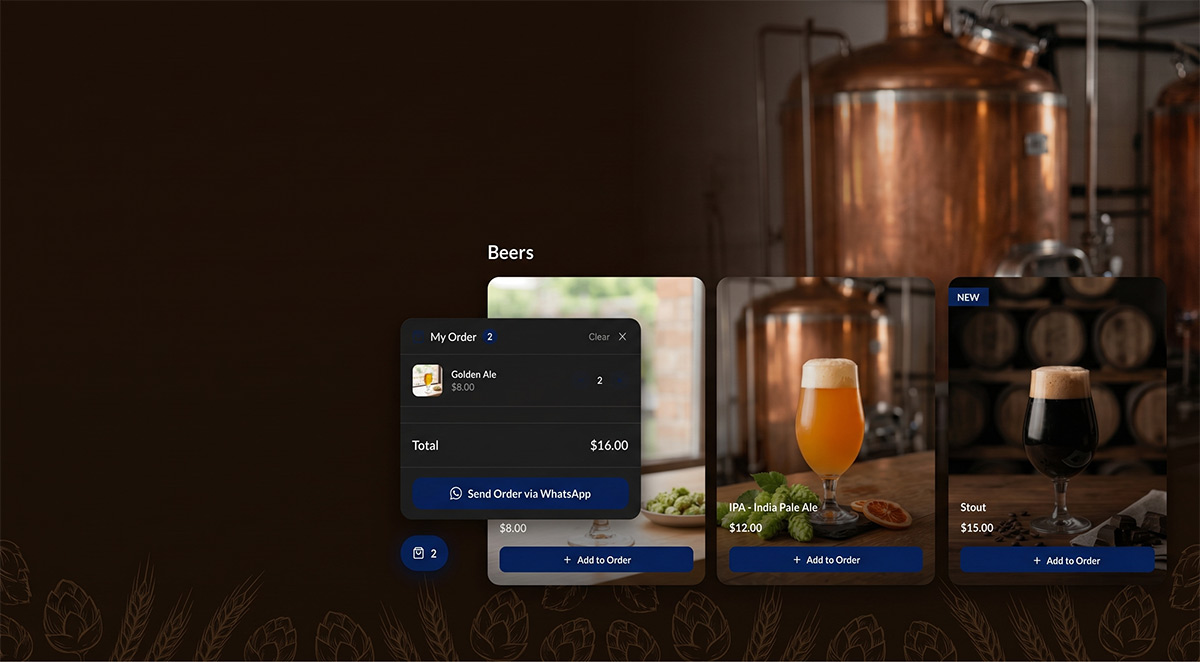
WhatsApp is the messaging app most of your customers actually open. They use it for family, work, and, increasingly, to talk to local businesses. If you sell food, services, or products, letting people send their orders through WhatsApp is one of the simplest ways to start taking orders online.
Here is how to do it cleanly with Nice Catalogs.
Why WhatsApp instead of a full ordering system
Big ordering platforms charge a per-order fee, lock you in, and require your customers to install something. WhatsApp is free, your customers already have it, and you keep the relationship.
You do lose some automation. WhatsApp orders mean someone (you, your team) is reading and confirming each one. For a small business, that is usually fine. You were going to be there anyway.
How it works in Nice Catalogs
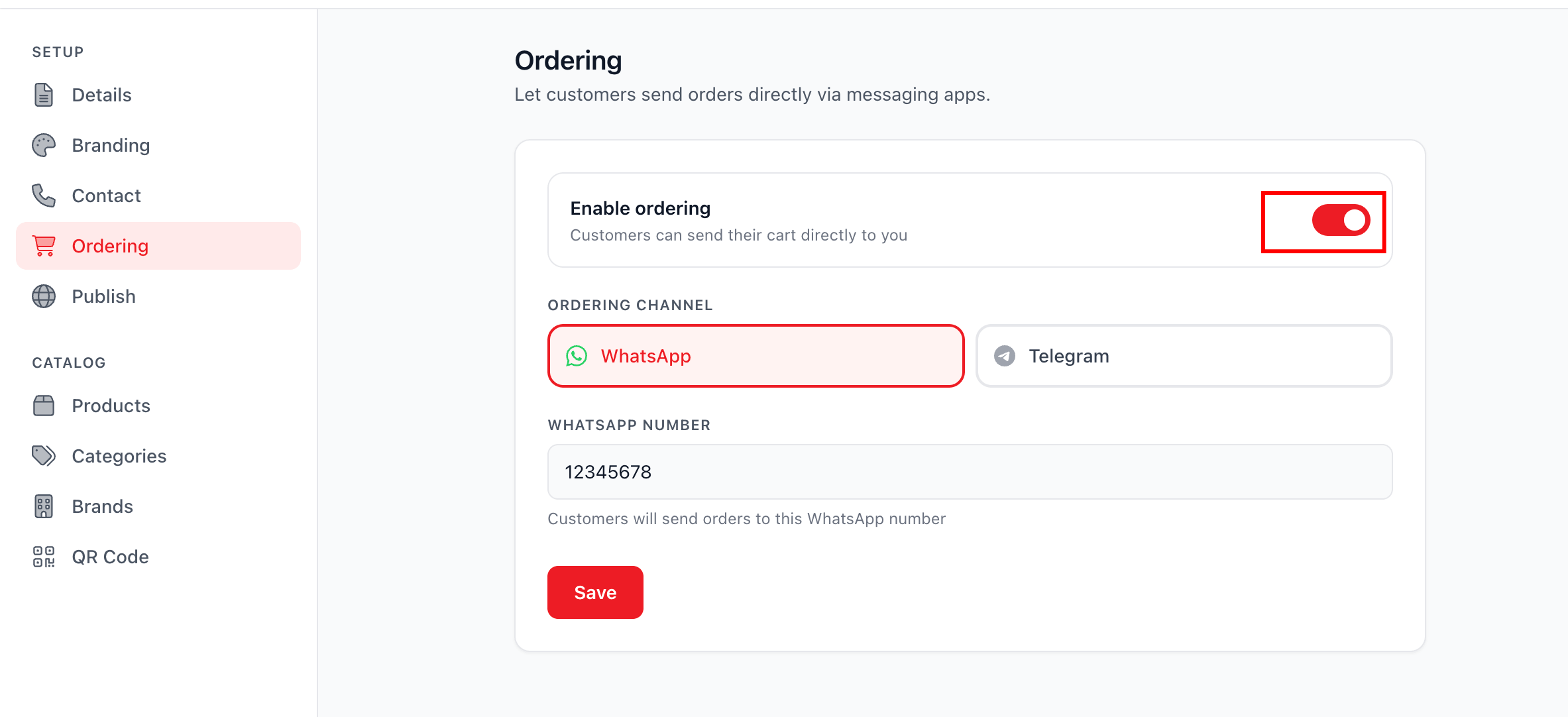
You build your catalog or menu the normal way. You enable WhatsApp ordering in your settings and add the phone number you want to receive orders on. That is it.
Customers open your catalog, tap items they want, adjust quantities, and hit a button to send the order. The app opens WhatsApp on their phone with the full order pre-written and your number in the To field. They tap send. You see the message arrive. You reply with confirmation, pickup time, or any clarifying question.
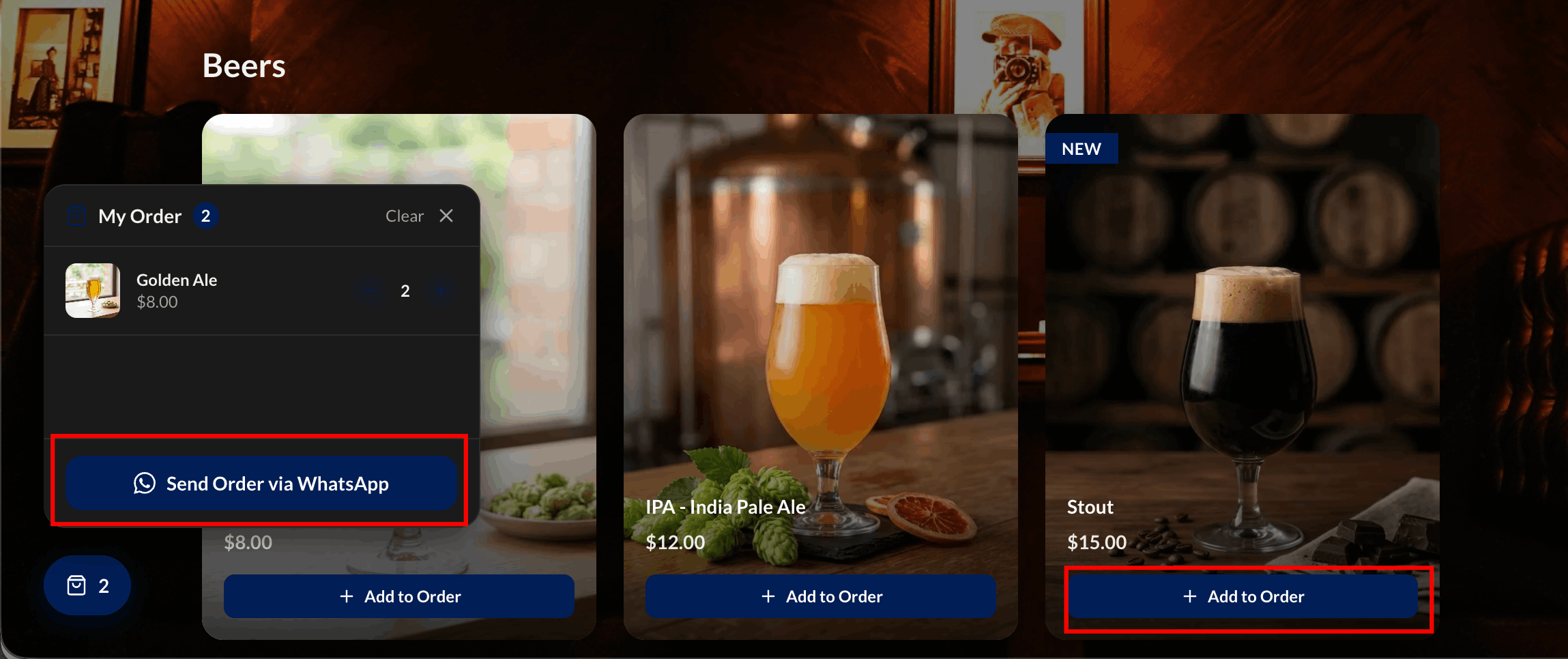
The customer flow, step by step
A customer scans your QR code or taps your Instagram bio link. They land on your menu. They tap a coffee, a pastry, and a sandwich. They review the list. They tap "Send Order via WhatsApp". WhatsApp opens. They send. You reply. Done.
It is a fewer-tap experience than most ordering apps, and there is nothing to install.
Where to put the link
Everywhere your customers find you. Your Instagram bio. Your Google Business profile. A QR code by your register. A WhatsApp Business auto-reply that links to the menu. The link-tree style landing page is great for this because you can keep the menu link, your address, your hours, and your social profiles in one tap.
Keep your menu honest
The single biggest cause of a bad WhatsApp order is a menu that does not match reality. If something is sold out, mark it unavailable in your dashboard. The change is live the next time a customer scans. We covered this in Update Your Cafe's Seasonal Menu in Seconds .
Tips that make a real difference
Acknowledge orders fast, even with a quick "Got it, will confirm in 5 min". Set expectations on pickup times in your menu description. Include your address and hours on your landing page so people stop asking. If you take payment on pickup, say so. If you take payment in advance, say how.
Privacy and order history
Orders stay in your WhatsApp. You can search them like any other conversation. If you want to keep a separate catalog for VIPs or wholesale, you can password protect a private one with its own link.
When WhatsApp orders are not the right tool
If you are doing hundreds of orders per hour or need integrations with kitchen displays and inventory systems, you eventually outgrow WhatsApp. That is a good problem to have. For everyone else, it is a fast, friendly, free way to take orders today.
Want to enable WhatsApp ordering on your catalog? Start free at nicecatalogs.com .