Most salon booking apps look cheap until you read the fine print. The monthly fee is only part of the bill. Many also take a cut of new clients, charge per text reminder, or price every extra stylist separately. If most of your clients already find you through Instagram, WhatsApp and word of mouth, you can end up paying for a marketplace you barely use.
This guide explains where booking commissions come from, what to check before you pick a tool, and how to take online bookings for a flat monthly price. I'll use Nice Catalogs as the example because it's what I build, and I'll be clear about what it doesn't do yet.
Where salon booking commissions come from
The big salon platforms usually don't charge a commission on every booking. The fees show up in a few specific places:
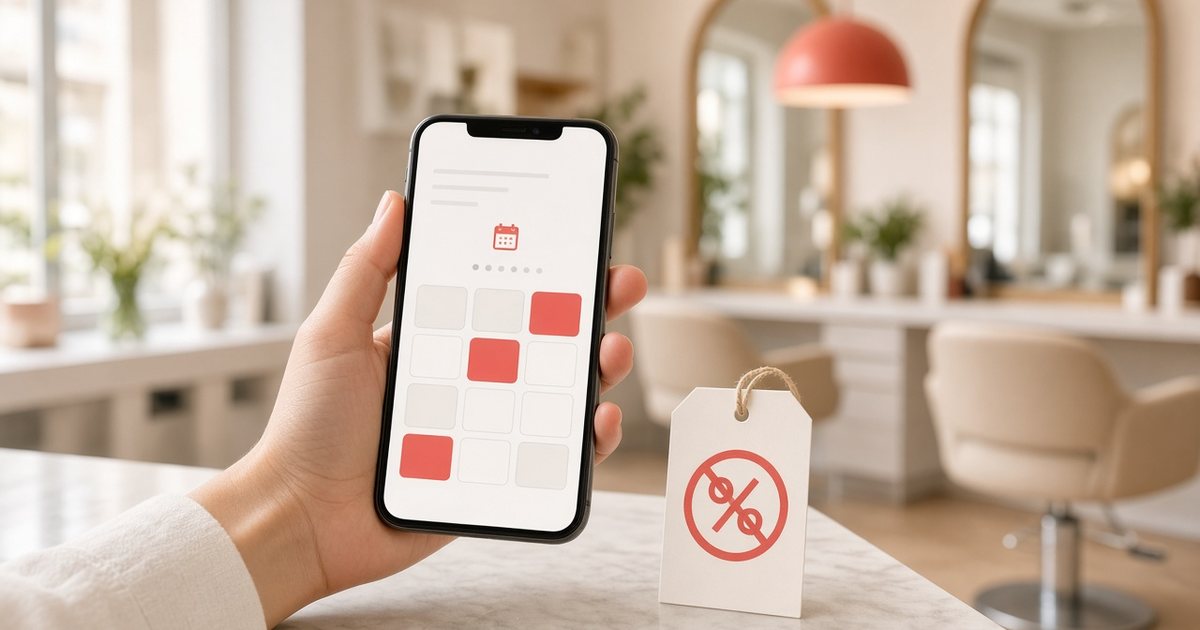
- Marketplace fees for new clients. Fresha's pricing page lists a 20% one-time commission (minimum $6) on brand-new clients who find you through the Fresha marketplace. Returning clients and clients who book through your own link are free.
- Optional promotion programs. Booksy's Boost is free to turn on, then charges a one-time 30% fee on a new client's first visit, capped at $100. Without Boost, Booksy says it doesn't charge commission on new clients.
- Per-seat subscriptions. Fresha's Team plan is $14.95 per bookable team member a month, and Booksy is $29.99 a month plus $20 for each additional team member (both as listed on their pricing pages in October 2026).
- Messages and payments. Text and WhatsApp reminders beyond a monthly allowance, and card processing, are usually billed on top.
None of this is hidden, and a marketplace that sends you new clients can be worth paying for. The question is whether you need one. If your chairs fill from regulars and referrals, a simple booking link may be all you need.
A quick example
Here is example math, not real salon data. Say a promotion program brings you 10 new clients this month, and each first visit is a $50 cut and color touch-up. At a 30% one-time fee, that's $15 per client, or $150 for the month, on top of the subscription. If those 10 clients would have found you on Instagram anyway, that $150 bought you nothing.
With flat pricing, the 10th booking costs the same as the first: nothing extra.
What to look for in commission-free salon booking software
Before you sign up for anything, check these five things on the pricing page:
- A flat monthly price with unlimited bookings and no fee per appointment or per new client
- Your own booking link you can share in WhatsApp, Instagram and Google, so clients book you directly
- Your hours and rules: working hours, breaks, buffer time between clients, minimum notice and how far ahead people can book
- No app for the client to download, so booking works from any phone browser
- Your client list stays yours, with contact details and appointment history in one place
How it works in Nice Catalogs
Appointment booking is part of the Professional plan, which is $10/month with unlimited bookings and no commission or per-booking fee. It sits on top of your service menu: you mark which services can be booked and give each one a duration.
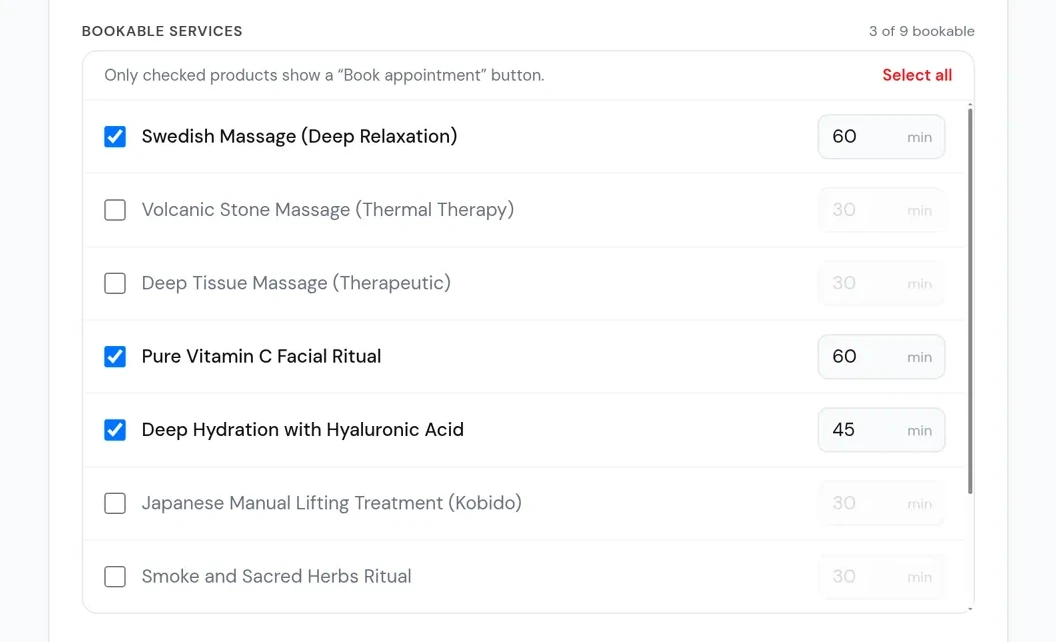
You set your working hours, breaks, buffer time, minimum notice and booking window. Clients only see free times that fit those rules, so a taken slot (plus its buffer) never shows up twice.
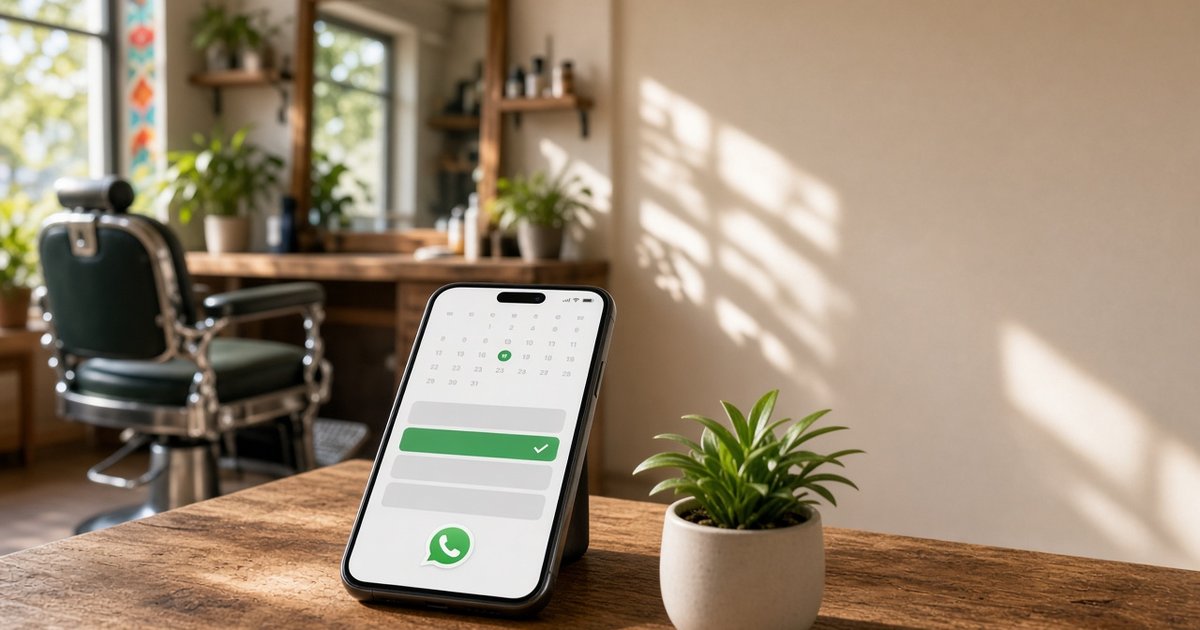
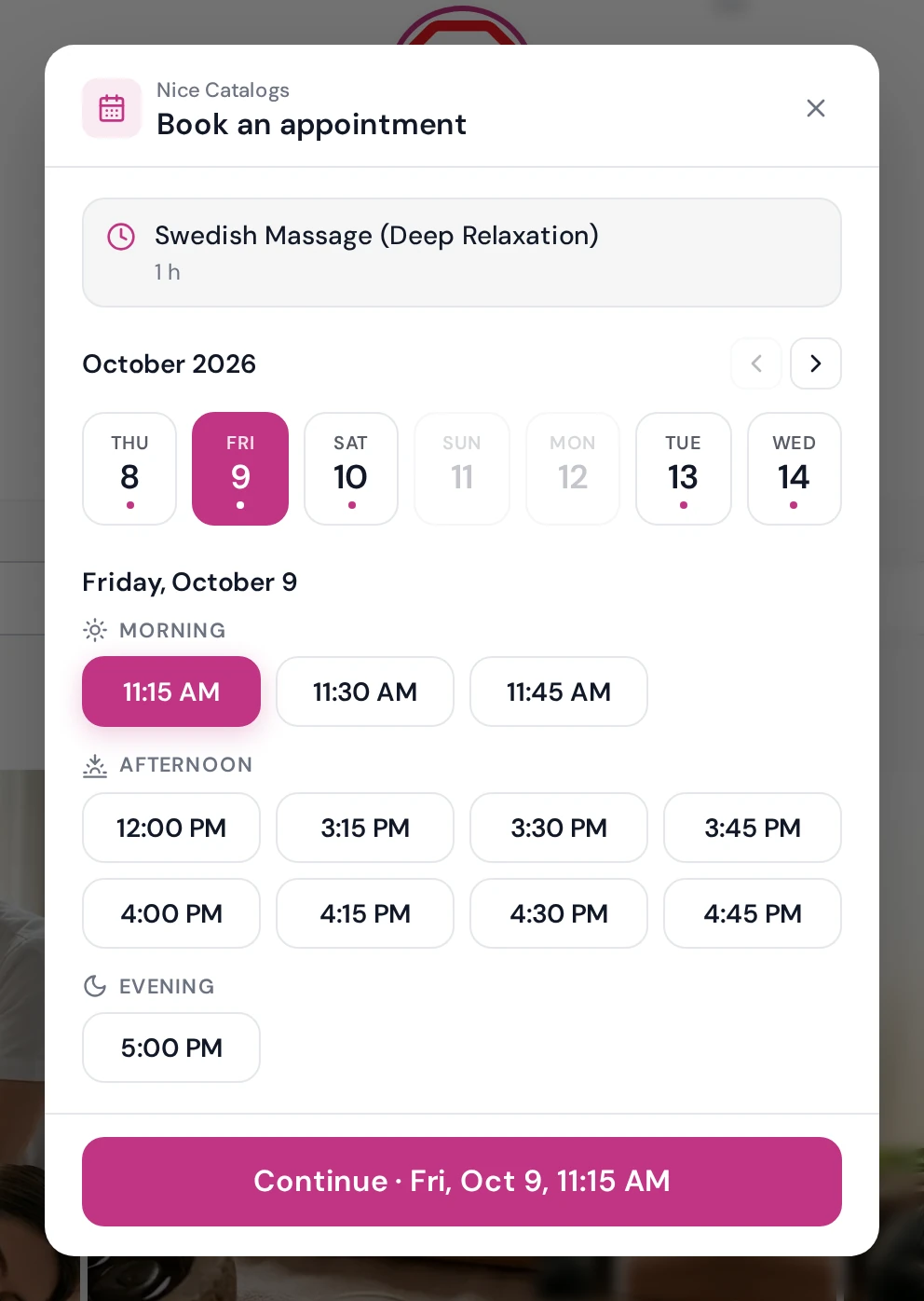
On their phone, clients open your link, pick a service, choose a day and a free time, and leave their name and phone number. There's no account to create and nothing to download, and the booking screen works in English or Spanish.
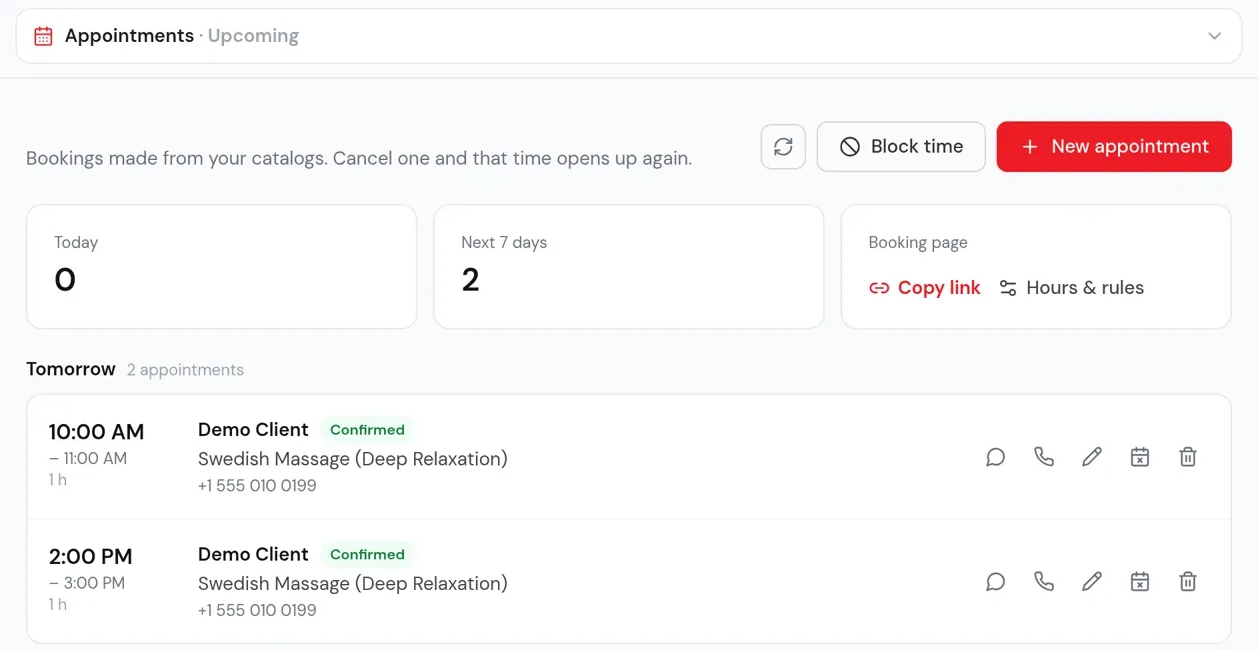
Every booking lands on your Appointments page and in your email straight away. From there you can add walk-ins, block time, reschedule or cancel, and message or call the client. Everyone who books also joins your Customers list, with private notes and their appointment history.
For the full setup, step by step, see WhatsApp appointment booking for salons and barbers . If your service menu isn't online yet, start with how to share your salon service menu online .
What it doesn't do yet
I'd rather you know this before you start a trial:
- No deposits or online payment. Clients pay you at the appointment, as usual.
- No automatic reminders. Nice Catalogs doesn't send SMS, email or WhatsApp reminders. Clients get Google, Outlook and Apple Calendar buttons when they book.
- No separate calendar per stylist. You can let 1 to 10 clients book the same time if several people are working, but there's no individual staff calendar.
- No marketplace. Nice Catalogs won't send you new clients the way Fresha or Booksy can. It's built for salons whose clients already know them.
If you rely on deposits to stop no-shows, or you want a marketplace to fill empty chairs, one of the bigger platforms is the better fit today.
Turn happy clients into Google reviews
When you stop paying a marketplace to be found, your Google Business Profile does more of that work, and reviews are a big part of it. The easiest moment to ask is right after a visit, while the client is still happy with their new cut.
Our free Google review link generator gives you a link that opens your Google review box in one tap, plus a QR code for your front desk and a ready-made message you can send on WhatsApp. It's free and doesn't need a sign-up.
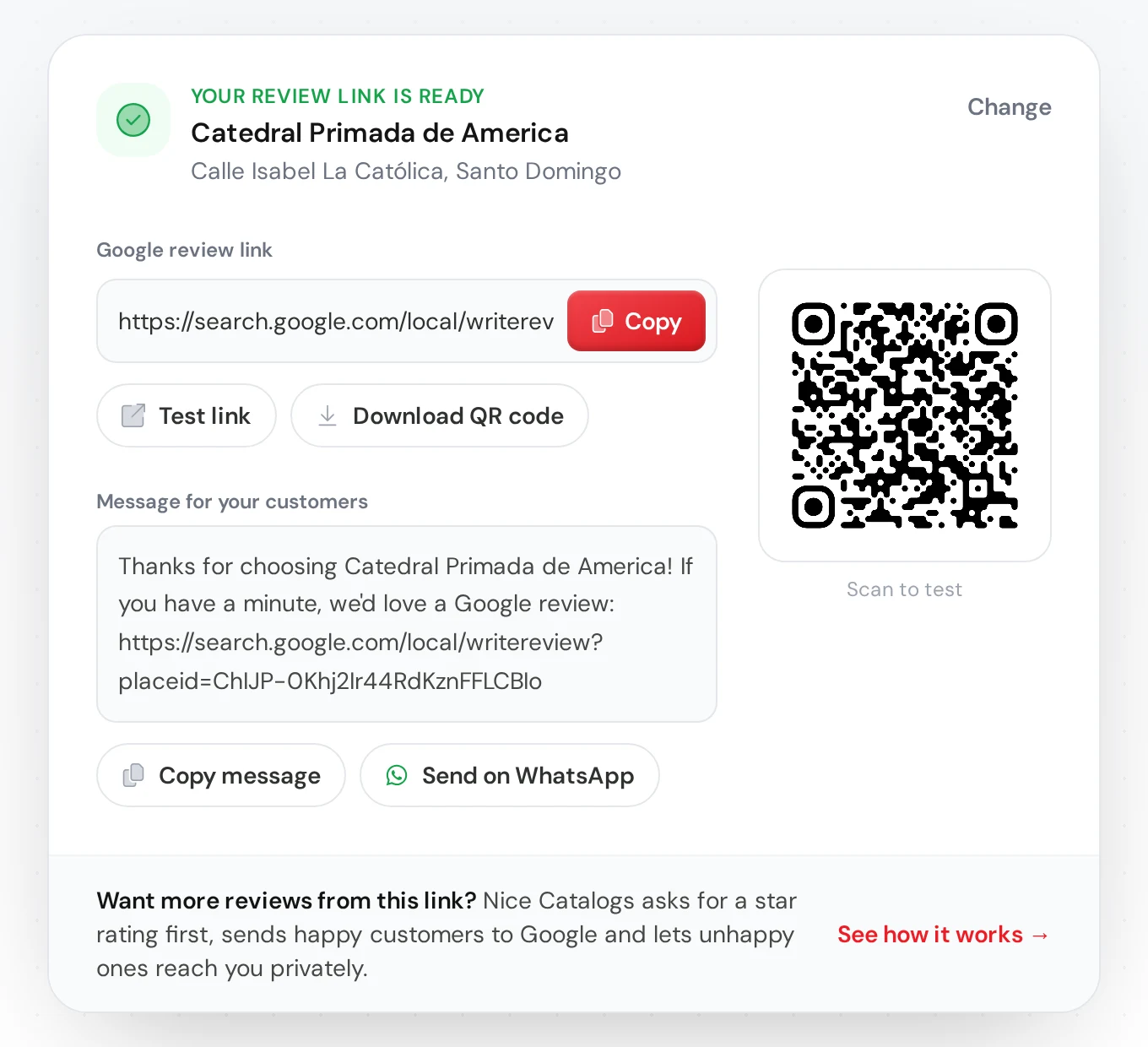
Every Nice Catalogs plan also includes review requests: clients tap a star rating first, 4 and 5 stars go straight to your Google review page, and lower ratings come to you as private feedback. More on that on the Google reviews page .
What it costs
Appointment booking is included in the Professional plan at $10/month: unlimited bookings, no commission, and no charge per appointment or per client. The same plan includes unlimited catalogs and products, a custom domain, analytics and digital loyalty cards for Apple and Google Wallet. The Basic plan ($5/month) doesn't include booking. Every plan starts with a 7-day free trial, with $0.00 due today. See the pricing page for the full comparison.
FAQ
Is there salon booking software with no commission at all?
Yes. Look for flat monthly pricing with unlimited bookings. Nice Catalogs charges $10/month on the Professional plan, with no fee per booking or per new client.
Do Fresha and Booksy charge commission?
According to their pricing pages, only in specific cases: Fresha charges a one-time 20% fee (minimum $6) on new clients from its marketplace, and Booksy charges a one-time 30% fee (up to $100) on a new client's first visit when Boost is on. Clients who book through your own link aren't charged a commission on either.
Do my clients need to download an app?
No. They book in the browser on any phone or computer, with no account and no password.
Can clients book from WhatsApp or Instagram?
Yes. Share your booking link in a WhatsApp chat or status, your Instagram bio, or your Google Business Profile, and clients book from there.
Can I take deposits?
Not yet. Clients pay at the appointment.
Try it with your own salon
Set your hours, mark a few services as bookable, and send the link to one regular this week. You'll know quickly whether it saves you messages and fees. To put your prices and photos in the same link, see how a digital catalog for salons works, or the version for spas .
Start your 7-day free trial , or read the appointment booking feature page first.